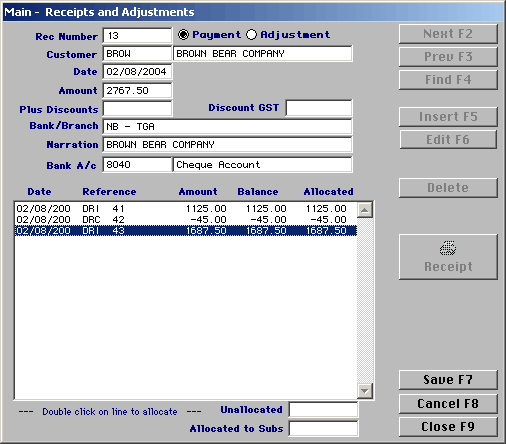
The following screen will appear. You enter the receipts and adjustments just the same as you would receipt a member.
|
Receipts and Adjustments
|
Previous Top Next |
| · | Click on insert
|
| · | Your Receipt number will automatically appear
|
| · | Enter the customer name
|
| · | Enter the date you wish to receipt the payment
|
| · | The amount will automatically appear, if you wish to change this you can.
|
| · | Enter the method of payment i.e. cheque details, cash, card, eftpos
|
| · | Enter the Bank account number that the payment is going into
|
| · | You will notice that the total amount is now showing in the 'Unallocated' box
|
| · | To allocate the payment double click on the invoice lines this will allocate the payment to those invoices
|
| · | Click on save to finish
|